Install Memory Grapes on your home screen
Get the full app experience with offline access and faster loading.
1
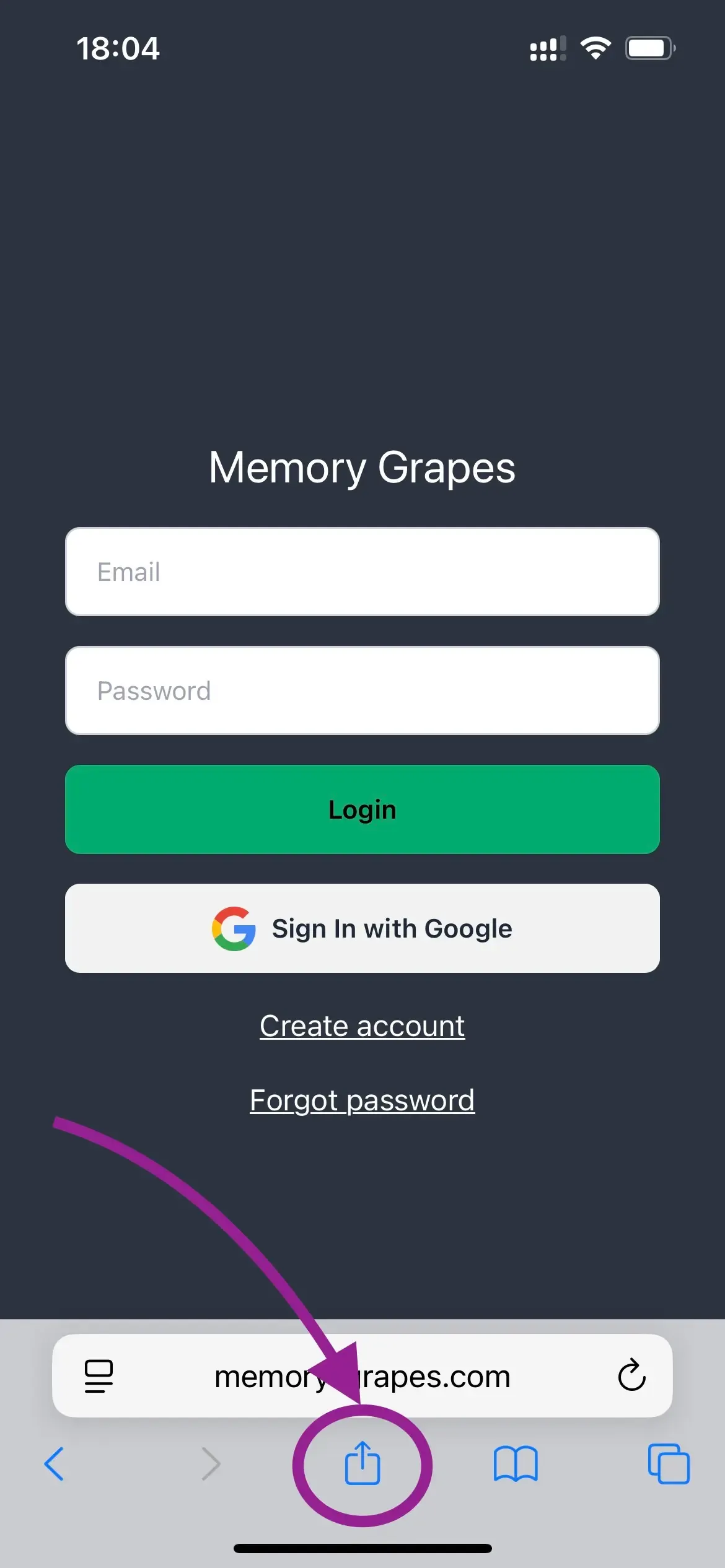
Tap the share button in your browser
Look for the share icon (usually a square with an arrow pointing up) in your browser's toolbar.
2
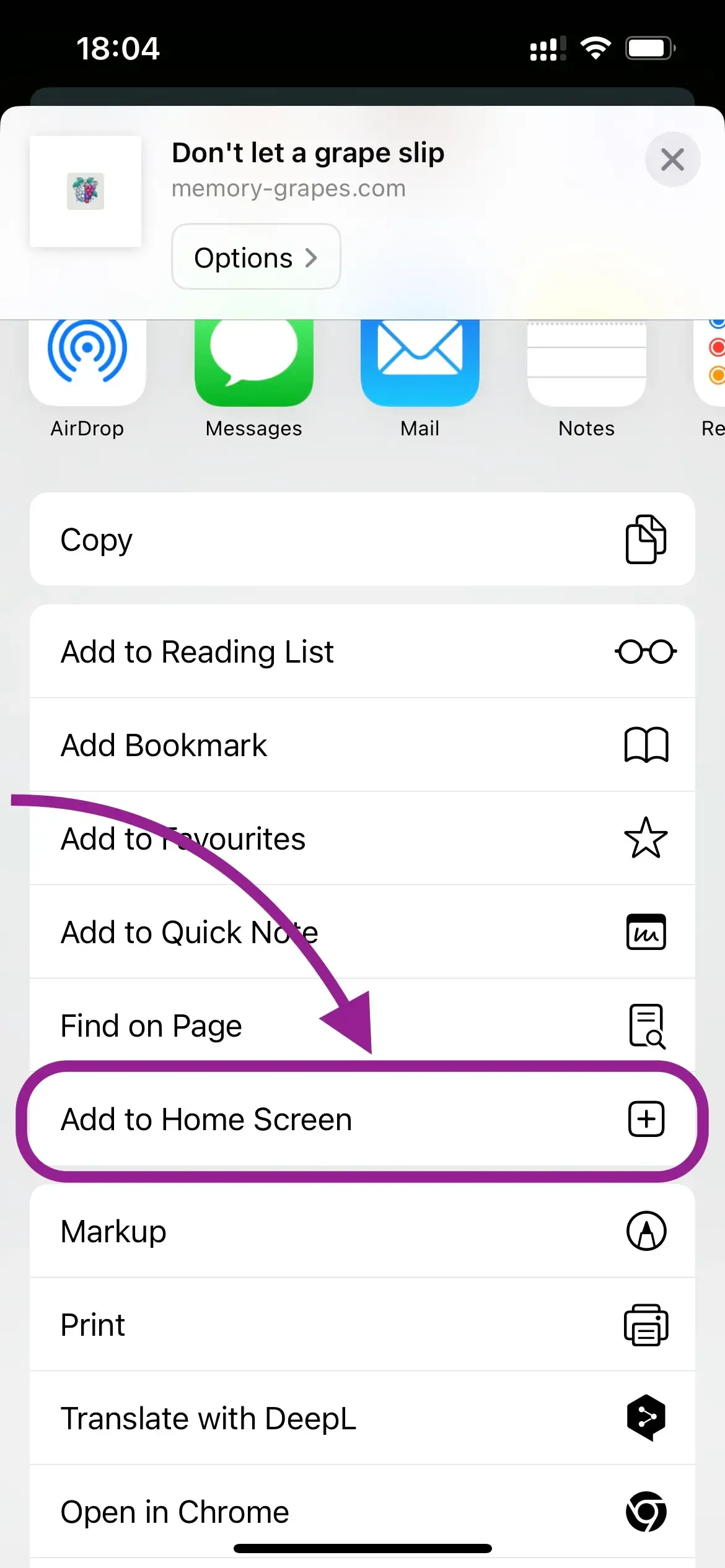
Select "Add to Home Screen"
From the share menu, choose "Add to Home Screen" or "Install App".
3
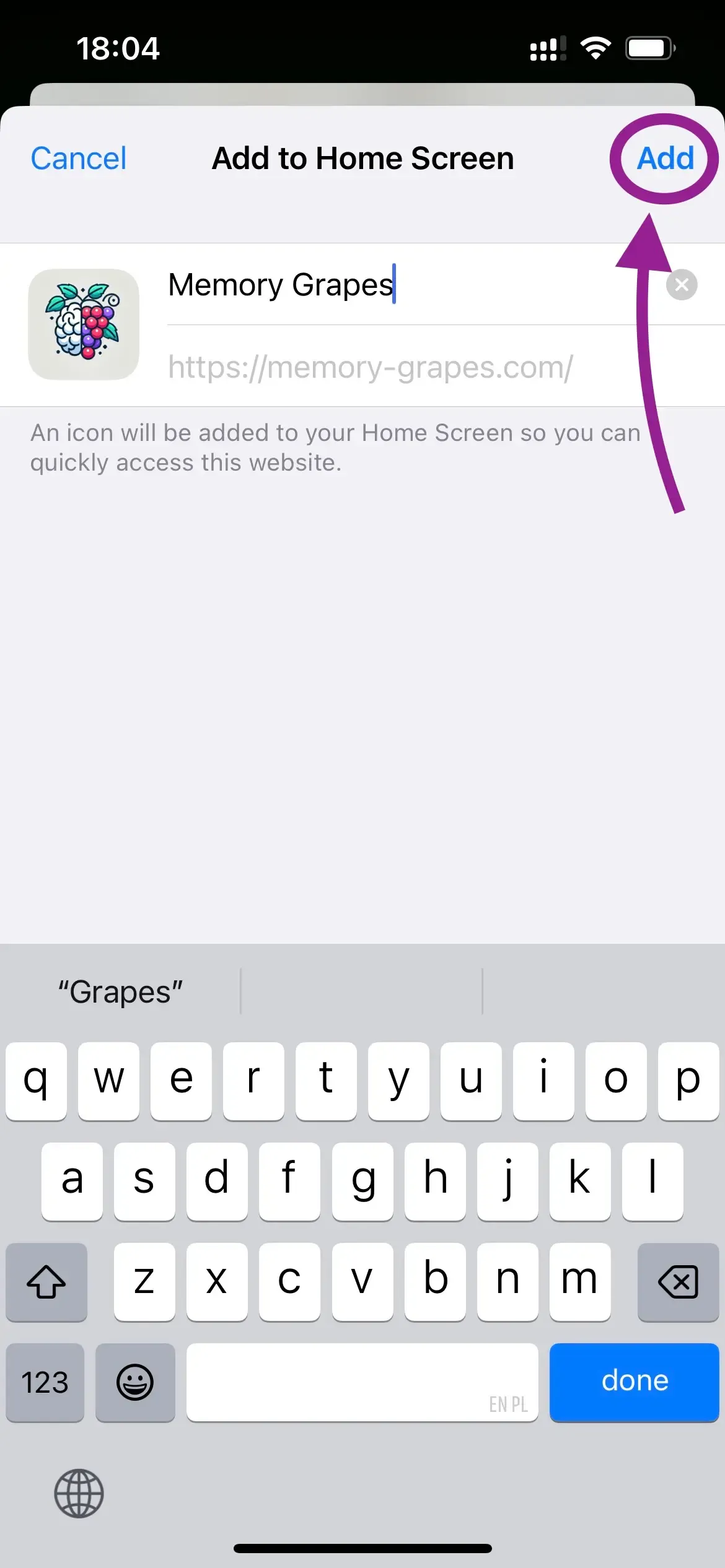
Confirm the installation
Tap "Add" to confirm and install the app on your home screen.
4
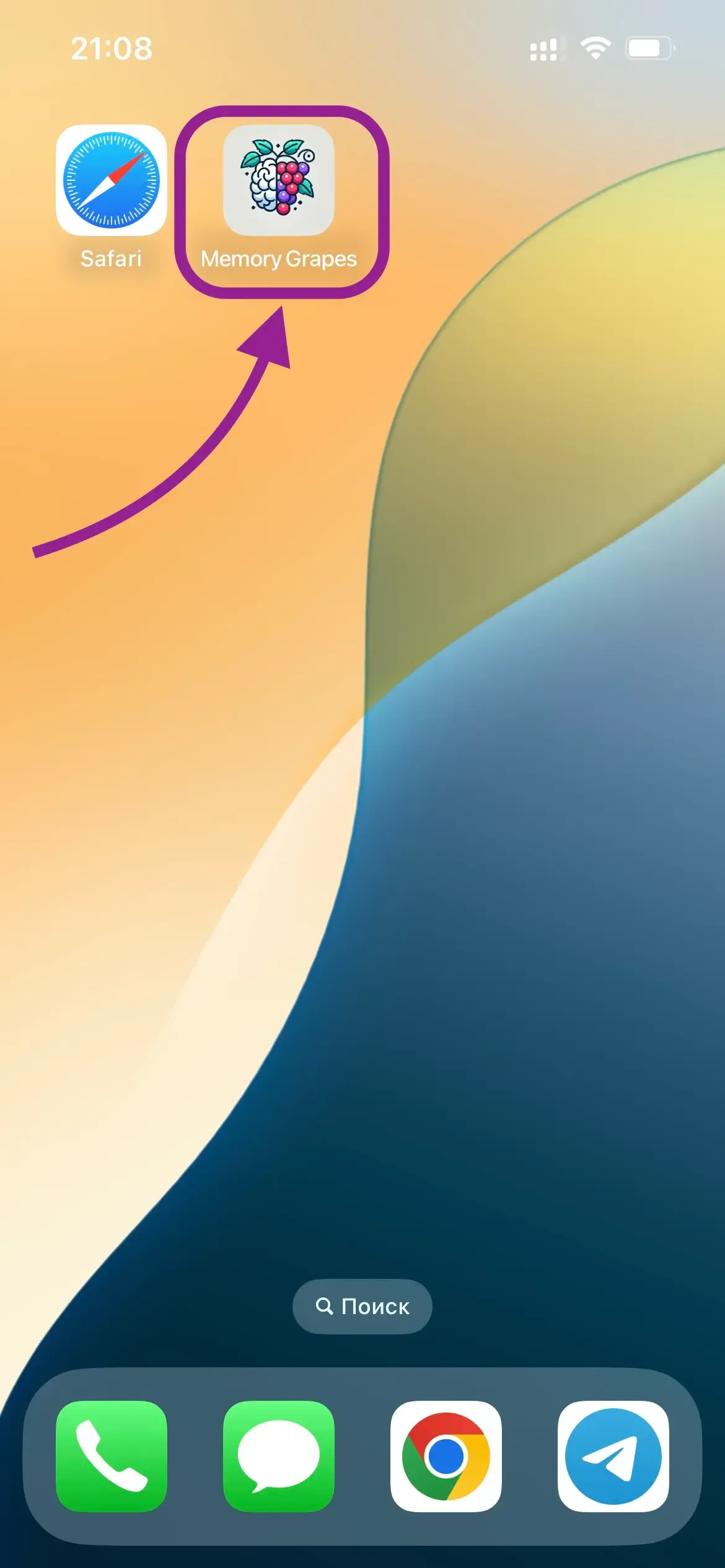
Start learning!
Open the app from your home screen and enjoy a better learning experience.